
Record the warranty expiration date when you buy the product, keep the receipt and relevant product details together, and set a reminder before coverage ends.
Key takeaways
- Check the exact warranty terms and the event that starts coverage.
- Record the calculated warranty end date with the receipt and identifying product details.
- Use an early reminder to review the product; ReturnPing cannot determine claim eligibility.
In this guide
Find the actual warranty period
Start with the warranty terms for the exact product and market where it was purchased. Look at the manufacturer’s warranty document, product support page, packaging or retailer documentation. A product family may contain models with different coverage lengths, and refurbished, replacement or commercially used products may have separate terms.
Record the stated warranty length and what type of coverage it represents. A retailer protection plan, an extended service contract and a manufacturer’s limited warranty are different arrangements. Keep their dates separate so one does not accidentally replace another.
Confirm when coverage begins
The beginning of coverage determines the expiration date. Some warranties begin on the purchase date, while others may refer to delivery, installation, registration or another event defined in the terms. Do not assume that registration changes or extends coverage unless the applicable documentation says so.
If the start rule is unclear, contact the manufacturer or retailer and save the response. Record both the event and date—for example, “purchase date: July 12, 2026”—rather than saving an unexplained date.
Calculate the expiration date carefully
Once the coverage length and start rule are confirmed, calculate the expiration date and save the reasoning beside it. Pay attention to the wording used in the terms, including whether coverage runs “through” a date or ends immediately before an anniversary. If the manufacturer displays an expiration date in a registered-product account, compare it with your calculation and resolve any difference early.
Save useful product information
Build a record that identifies the item without requiring you to find the box later. Include the product name, model number, serial number, retailer and purchase date. Add the receipt and warranty documentation to the same record. Model and serial numbers are often printed on the product label, so photograph or transcribe them while they are easy to access.
Accuracy matters. Similar-looking models can have different parts, support channels or warranty terms. Check each number before saving it and avoid storing unrelated sensitive information.
Keep the receipt and warranty documents
Save a clear copy of the receipt or invoice showing the retailer, product and purchase date. Keep the warranty document or a stable copy of the terms that applied when you purchased the item. If the product required registration, retain the registration confirmation as well.
These records can make a support conversation easier, but storing them does not guarantee warranty approval. Eligibility still depends on the applicable terms, the product’s condition, the reported issue and the manufacturer or warranty provider’s review.
Set an early reminder
Choose a reminder early enough to inspect the product and contact support before coverage ends. A reminder one or two months ahead may suit an appliance that needs testing, while a shorter interval may be adequate for a simpler item. The useful lead time depends on the product, the support process and how quickly you can gather evidence.
Review the product before expiry
When the reminder arrives, check whether the product is operating normally and review any issue you have postponed. Look for recurring errors, unusual performance or missing functions, and consult the product instructions before deciding that a fault exists. Avoid unsafe testing or disassembly that could create risk or affect coverage.
If there is a concern, read the claim procedure and contact the appropriate support channel while coverage is still active. Record the date and what the representative advises.
Prepare documentation for a possible claim
Before contacting support, gather the receipt, model number, serial number, purchase date and a clear description of the issue. Note when the problem began and the troubleshooting steps already completed. Photos, videos or error codes may be useful when requested, but follow the provider’s instructions for what to submit.
Keep case numbers, chat transcripts, emails, shipping details and repair records together. If support offers a replacement or repair, record the new dates and ask how that outcome affects any remaining coverage.
Common mistakes
- Assuming the warranty length without checking the exact model and terms.
- Calculating from purchase when the documented coverage starts from another event.
- Saving only a duration such as “two years” instead of an expiration date.
- Discarding the receipt, packaging information or serial-number label too early.
- Confusing a retailer plan with the manufacturer’s warranty.
- Waiting until the final day to report an issue or find supporting documents.
Practical checklist
- Confirm warranty length
- Confirm coverage start date
- Record expiration date
- Save receipt
- Save model and serial number
- Set an early reminder
- Review the product before expiry
- Keep support records
How ReturnPing helps
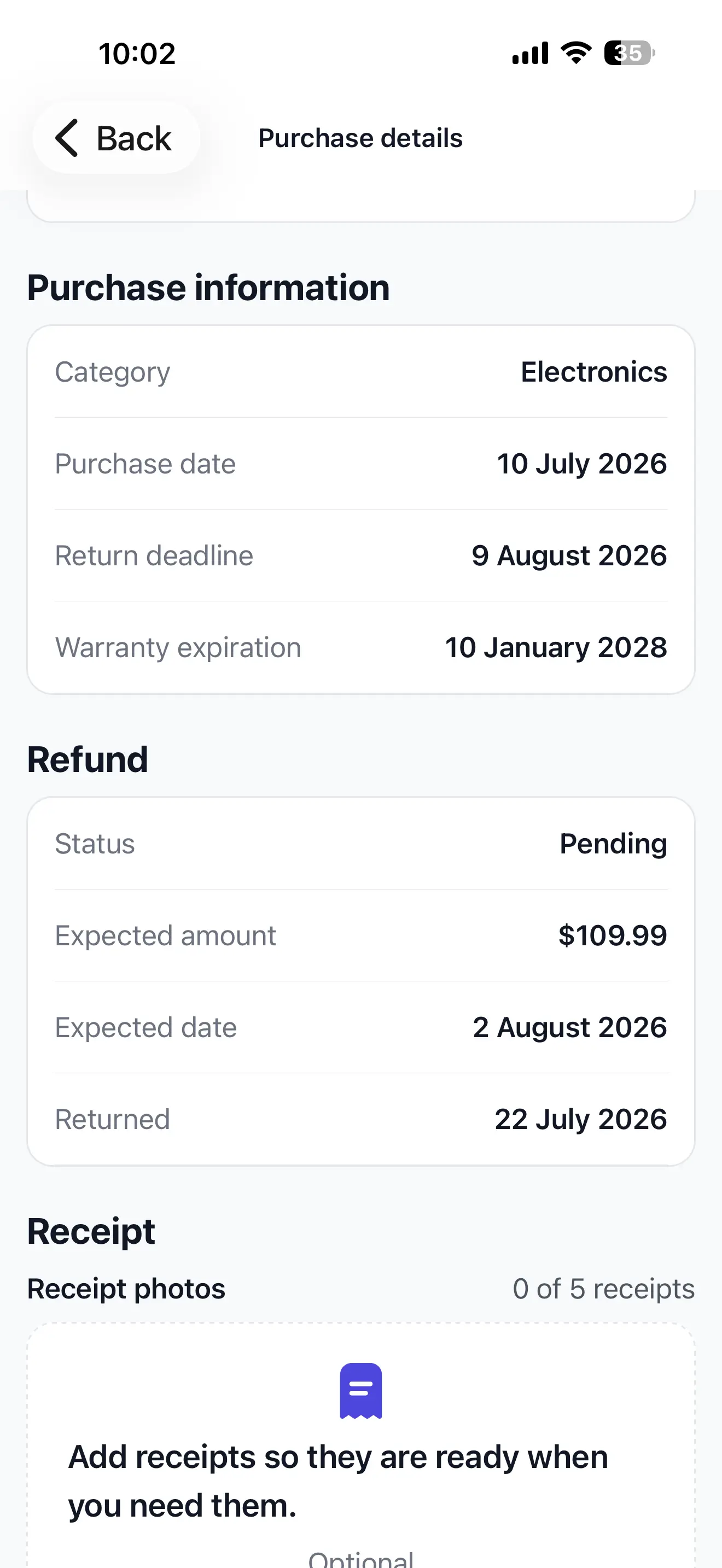
ReturnPing keeps the warranty expiration date, selected receipt and chosen reminder with the original purchase. Keep any model number, serial number or extra warranty documentation in the supporting records you maintain for the product. ReturnPing records the information you provide; it does not verify warranty terms or guarantee that a manufacturer, retailer or plan provider will approve a claim.